


Dan's experience of being a GuyKat Apprentice
We caught up with Dan, our Junior eLearning Designer, who started his journey with GuyKat as an apprentice.
 When did you join GuyKat?
I started at the beginning of February 2016 and my apprenticeship lasted for 13 months.
What responsibilities did you have as an apprentice? What were your day-to-day tasks?
When I first started, my responsibilities were all very heavily based on graphics and imagery. I would have to create graphics in the style of a client’s branding and match this to the look and feel of the eLearning that it would be a part of. I was also responsible for finding appropriate images from stock photo websites to download and, if required, edit them too. However, as I progressed through my apprenticeship, I became much more involved with the design and, eventually, the development of the eLearning that we make. Of course, as an apprentice I was given some of the less exciting jobs such as taking out the recycling and transcribing audio, but overall there weren’t many of those kinds of tasks. During a few days of filming, I was in charge of the clapperboard and keeping track of what take we were on.
What is your current job role?
I am currently the ‘Junior eLearning Designer’ at GuyKat. I am the most junior full-time member of the eLearning team.
How have your responsibilities changed?
My responsibilities now include designing and developing eLearning, graphic design, look and feel design, development of games within eLearning, and some instructional design. My work has massively developed since being an apprentice. When I first started, I had very little knowledge of page layout design or user experience/interface, which are features that I have since developed a real understanding for over time. I have also developed more technical skills such as my ability to use Adobe programmes. When I started, I only had some experience of using Adobe Photoshop, but I’ve since built my knowledge of using Captivate, After Effects and Illustrator and I am now even more confident in those than I am in Photoshop.
What were your motivations for choosing an apprenticeship?
I never really wanted to go to university, despite it being heavily encouraged in secondary school, and especially sixth form. The appeal of having zero amount of debt outweighed the possibility of a “good job”. Nor did I want to go straight into work, just because it would have been easy to find a job that related to nothing that I’m skilled in, and stay in it. So, this is why I chose to look for an apprenticeship. Being trained, earning money, gaining a qualification and the potential of a secured job seemed like the most logical and rewarding option. I feel that an apprenticeship gave me a head start against my peers that went to university, because experience is so important to employers. I see it as an extra year of experience.
What attracted you to GuyKat?
Honestly, I knew very little about the company when I applied. It was the position itself that I was interested in. Apprenticeships that aren’t just an employer looking for cheap labour are actually difficult to come by, so I applied for apprenticeships that had a design element in the description. I knew I wanted something creative. It wasn’t until the interview that I decided I wanted to work for GuyKat. I was given the impression that they wanted me as someone who could help the company whilst being taught from scratch.
What is your proudest achievement at GuyKat?
My proudest achievement was actually quite a recent one. I was given a piece of work from a client that had a very tight deadline of one week. The project involved designing and making an assessment from scratch (with questions provided). The assessment itself was fairly straightforward to create, yet making sure the scores were reported correctly was quite complicated. Different areas required separate scores and areas of strength and weakness to be shown. Through quite a bit of trial and error, I managed to create a complex scoring system that demonstrated the user’s strengths (i.e. the areas they scored highest in) and their weaknesses (the areas they scored lowest in). I also designed a certificate that pulled the user’s scores, strengths and weaknesses from the project. I had help with the coding side of this, as this was another complicated challenge. Even though the client had multiple rounds of changes, I still managed to complete the project before the deadline, and they were very happy with the finished product. All of this took a lot of thought and time from myself, and I learnt a lot through the process and felt a great sense of achievement from it.
What do you enjoy about working at GuyKat?
The culture at GuyKat is relaxed and extremely friendly, whilst still maintaining a very high level of productivity. Right from the start of my first day I felt welcomed and supported, and like a part of the team. Even though I was an apprentice, I wasn’t made to feel that I was providing any less value.
Would you recommend the apprenticeship route?
I would absolutely recommend the apprenticeship route to anyone who doesn’t think university is for them. It is a great way to gain experience of a real working environment whilst still receiving training and support from a college/training provider. By the end of an apprenticeship, you will have valuable experience and a qualification to continue onto something else. You might choose to continue to a higher-level apprenticeship, or you may even be offered a job at the place that you carried out your apprenticeship like I was.

Our favourite ‘new and improved’ features in Adobe Captivate 2017.
Our favourite 'new and improved' features in Adobe Captivate 2017.
Adobe Captivate is the development tool of choice for the in-house eLearning production team at GuyKat. Whilst at Learning DevCamp 2017 in Salt Lake City earlier this month, our team reviewed the new features in the latest release (Adobe Captivate 2017) with other industry experts.
Our eLearning Developer, Zoe Hall, shares her favourite features of the new update:
1) Retina screen software recording
Whilst you could record a Video Demo or Software Simulation using Captivate 9, the 2017 update has resolved the need to edit the AdobeCaptivate.ini file. We have have found this improvement really useful, especially for cutting down development time and simplifying our internal processes.
2) Multi-state buttons
The ability to use buttons with multiple states (e.g. Normal, Hover, Down) on Master Slides, Quiz Slides, Quiz Results Slides and Drag and Drop Slides is an excellent update that can streamline our workflow and improve the UX throughout our projects.
3) Typekit Integration
Adobe Typekit is now integrated with Adobe Captivate. This allows developers with a Creative Cloud account to use fonts from the Typekit library within Captivate projects. Not being limited to websafe fonts for HTML5 projects now allows for consistent design across all devices. This enables us to align with the brand guidelines of our varied clients that require eLearning for multiple devices.
4) Conditional ‘While’ loop within Advanced Actions
We love the new ‘Conditional Tab’ check box within Advanced Actions, but we’re even more excited by the possibilities of the ‘While’ loop to enhance quizzing, gaming and general UX!
The ‘While’ action can be used to shorten our workflow to create simple GIF style animations within Captivate, as well as more interactive games using variables to create timers, change states and assign points.
Having taken some time to explore the ‘While’ action at Learning DevCamp, this feature will allow our team to push the boundaries to create engaging and interactive eLearning.
5) Fluid Boxes
The release of Fluid Boxes has coincided well with the rising demand for fully responsive design in our daily digital experiences - including responsive eLearning.
Captivate 2017 Fluid Boxes are a development on the previous breakpoints used in Captivate 8 and 9. Objects within Fluid Boxes align and resize automatically on different devices, creating a course that isn’t just optimised for one screen. There are many powerful, hidden tools and options within Captivate 2017 to tailor the Fluid Boxes to each developer’s needs. This higher level of flexibility and control, along with the ability to preview multiple device resolutions within Captivate, is another way that the update has reduced the development time for a responsive project and has created a better experience for the learner, regardless of the device they are using.
We are already utilising some of these features in current client projects.
If you’re looking for Adobe Captivate experts who can create bespoke eLearning, then feel free to get in touch.
Take a look at what else we got up to at Learning DevCamp 2017.

A look back at Learning DevCamp 2017
A look back at Learning DevCamp 2017
Hannah, our Lead eLearning Developer, shares her highlights from the Learning DevCamp 2017 conference.
Held in Salt Lake City, Learning DevCamp (2017) is an eLearning conference dedicated to discussing instructional design theory and authoring tools for eLearning developers across the globe.
As the Lead eLearning Developer at GuyKat Solutions, I was lucky enough to experience the conference again this year, along with my fellow eLearning Developer (and friend) Zoe Hall. Just over a week ago we set off on the 15-hour journey from Birmingham (UK) to beautiful Utah, with high expectations of a great week.
The conference is set over four days. The focus is on eLearning professionals sharing and learning best practices. Whenever I attend DevCamp, it's always refreshing to find many L&D experts challenging the way online training has to be delivered. There shall be no more boring "click and read" training! This year, there were two innovative concepts that stood out. Firstly, Augmented Reality and the possibilities it can lend to supplement training design. Secondly, bite-size training - sometimes referred to as SHOTs - to provide precise and painless training.
Learning DevCamp also boasts some great industry speakers and I thoroughly enjoyed hearing from experts such as Kevin Siegel, Jennie Ruby, Joe Ganci, Nick Floro and the founder of DevCamp, Jason Bickle (to name only a few). A highlight from our week was discovering the new features and capabilities of Adobe Captivate 2017, the authoring tool that we use in-house. Whenever software upgrades become available, we pride ourselves on taking the plunge early on.
A personal highlight for me was reconnecting with some old friends and meeting some new ones. It was great to enjoy dinner (and a spontaneous hike up the Salt Lake Hills) with some energetic and creative people from the eLearning world. There is nothing quite like a sunset in Utah.
Overall, at GuyKat we always aim to make our eLearning engaging and exciting, so attending a conference like this enables us to stay ahead of industry trends and helps us to learn more about how to improve our eLearning modules for the future. I would highly recommend this conference for anyone who is involved in the L&D industry and has the desire to learn about online training. It really is a great way to gain expertise.

Horses for Courses

Increasing the likelihood of success in your eLearning journey: The Right Type of Content to the Right People at the Right Time.
Last week, I attended a roundtable session with various FTSE 100 HR leaders. One weary L&D Director was unhappy, and rightfully so. Despite investing heavily in both quality eLearning content and a modern LMS his workforce wasn’t engaging with it as regularly as hoped. There were nods of recognition around the table when he summed up; “You can lead a horse to water but you can’t make it drink.”
Whenever I meet new clients, variations on this observation are a common theme. People have spent good money on implementing flashy technology and they’ve carefully thought through their learning strategy and processes. Yet their workforce just doesn’t adopt it and so they don’t see the expected ROI. Why?
In my experience, the most common reason is that they’ve neglected thinking about the culture change that needs to go with the new technology. Has the organisational culture been one where staff have been spoon-fed their eLearning? Has content been confined to mandatory compliance-led subjects? Is it usually a simple ‘click-read-test’ format? Is completion of mandatory training typically ensured by increasingly threatening emails as the compliance deadline nears?
If so, you simply cannot make the jump overnight from that starting point to class-leading learning culture. By this, I mean a culture where you have a workforce motivated to pro-actively access corporate learning systems and self-serve relevant learning and development material appropriate to their personal growth or relevant job tasks, whilst sharing their experiential knowledge in a helpful and accessible way to their peers. That may be the vision, and you may have implemented the technology that theoretically supports the vision but like any change project, the technology and process implementation is the easy bit. It’s the people bit that’s difficult and often overlooked.
I get clients to think of the above in terms of a classic ‘capability maturity’ journey. Think of the starting point described above as ‘level 1’ and the vision described as ‘level 5’. There are steps 2,3 and 4 to be taken before you can reach level 5. Attempting to leapfrog any of these steps invites failure. Time and again though, you see that is exactly what people try to do. I’ll explain what each of these levels looks like in more detail, and how to accelerate the journey through them, in future blog posts.
The important point for this post is to realise that for some organisations, shooting straight for a level 5 is simply the wrong thing to do. The nature of the business, the complexity of the jobs, the educational profile of the employees may all mean you don’t need a thoroughbred if a trekking-pony will do. Thinking through the level of ambition that is right for your organisation, and understanding where you start from culturally will help you to set an achievable end goal and also better plan the change management strategy that complements the technology implementation.
Just because, another organisation has nailed social learning in their organisation, doesn’t necessarily mean that their approach or the technology they chose is right for you. The takeaway point - and my last equine metaphor – is that you need to think about it as: ‘horses for courses’.
The above post is by our CEO, Guy McEvoy, and was originally shared on his LinkedIn feed.

Interactive Vid: Engaging Millennials in L&D
Click to begin demo (not for phones)
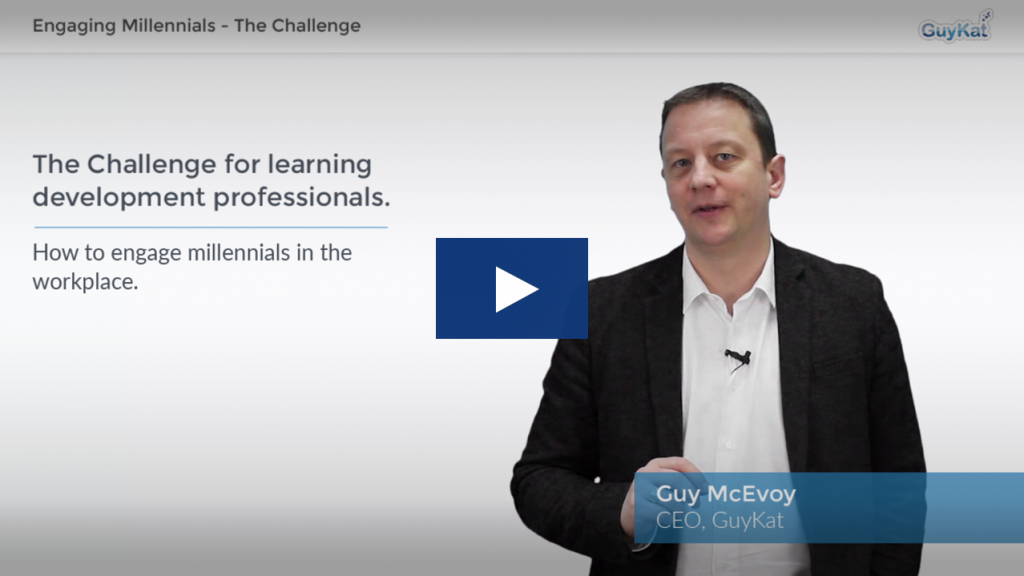
This blog post covers two things. First, we've been doing more interactive video for clients and want to share a demo. Second, we're meeting L&D professionals who are scratching their heads at how to adapt L&D strategy to suit the behaviours of millennials they're hiring. We'll be releasing a white paper on the millennial question soon, but as a teaser we've quickly put together a demo that is both a (very) basic example of how you can use interactive video format, and also trails some of our white paper findings.
Click image above to begin demo - note this is built for desktop/tablet - this particular example has not been designed to view on a phone sized device - we do build responsive, interactive video that works on phones, but for this demo we wanted the extra screen space afforded by a desktop.
If you want to be added to the distribution list for the white paper on release then please email info@guykat.com with the subject 'white paper'.

Turn Your Training Course Into An Online Goldmine

Build a course once, sell it infinitely.
Experts who deliver quality training for a living quickly find demand for their courses outstrips capacity to deliver them. Classrooms only hold so many people, there are only so many days a week. That used to leave two choices; either turn away business or employ other trainers. Turning away business is mad. Employing others is risky. There is now another way: move the training online.
Technology costs no longer prohibit this. It’s affordable to even a start-up. So, “How do I put my classroom courses online?"
There are two steps. First, convert the content for online delivery. Second get somewhere to host it.
Online delivery is different to classroom delivery. The materials used in a classroom may not be appropriate online. The good news is widespread availability of low-cost eLearning and video authoring apps. The best of these allow anyone who can handle PowerPoint, web-apps or video editing software to have all the tools needed to build good-looking interactive eLearning. No coding needed. If you’re new to this field, we recommend you start by looking at Elucidat. You’ll making your first multi-device content in minutes.
When you have content you’re happy with – whether it is as basic as powerpoint, PDFs and videos or as complex as fully interactive game-like simulations you need somewhere to host it. You want to make sure only paying customers can access it. This is where a Learning Management System (LMS) comes in. Using the docebo platform you can have a light SMB version of an enterprise-grade LMS catering for up to 50 active for as little as £150 monthly (potentially serving 600 unique users a year). In a world where a single course of niche, quality-assured content can be sold for many thousands of pounds, this offers the opportunity of an extraordinary profit margin.
Build a course, put it online, tell your customers, take the money, let the learners self-serve and go lie on the beach. We can help you with every step of that journey except lying on the beach.
Gold can only be found once you start to mine. So, if you’re based in the UK or Ireland and what to find out more get in touch. We can help you with a free full trial of an authoring tool, an LMS or the whole caboodle.
Call us. +44 121 288 1122
What is SCORM? In Layman's Terms...
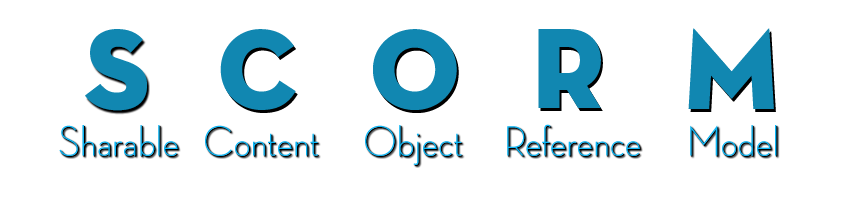
If you’re new to eLearning or Learning Management Systems you’ll often hear or see the word SCORM. It’s a piece of jargon we use that means nothing to people outside our industry. So, let’s explain SCORM in layman’s terms:
- SCORM is the most common standard format that eLearning modules are published in. It allows content to be uploaded to and tracked by a Learning Management System.
Why do we need a standard? Well, there are two main steps to delivering eLearning. First you make the content, then you put the content online. Typically, you make the content using a computer program called an ‘authoring tool’. There are many authoring tools on the market; Adobe Captivate, Articulate Storyline or Elucidat are examples. The next step is to put your content online. You do this using a Learning Management System (‘LMS’). Example LMSs are Totara, Moodle or Docebo. It is critical your content can ‘talk’ to your LMS so that you can track how your learners are doing. You want to capture data such as; Who has done which course? How long they looked at the course? What score did they get? Which specific questions did they get wrong? This is the magic of SCORM. The SCORM standard defines how this data is captured and communicated.
Having a standard allows learning and development teams to use their preferred choice of authoring tool and their preferred choice of LMS without compatibility issues.
SCORM is not a standard for the technology that the eLearning itself is built with. So, you can have eLearning built in Flash which is packaged into SCORM format or eLearning built in HTML 5 packaged into SCORM format or any other technology.
A SCORM file, typically looks exactly like a zip file. If an LMS asks you to upload a SCORM file you upload it in whole – don’t unzip it. This is very easy on Docebo.
Things are slightly complicated by there being more than one flavour of SCORM e.g. SCORM 2004 and SCORM v1.2. There are also other competing standards e.g. AICC or Tin Can/xAPI. These formats are less common. xAPI is gaining traction, however, it is still a bleeding edge technology that we would avoid for now. Whichever you use Docebo LMS is compatible with ALL these standards. We’ll do another article on the different types in future.
Whether you are looking to buy SCORM content, build-your-own SCORM content, or find an LMS to host SCORM content we can help you. eLearning is what we do. Please feel free to get in touch.
Quickly Publish SCORM Content to an LMS
CLICK HERE TO ACTIVATE 14-DAY DOCEBO FREE TRIAL
If you're new to the eLearning game and have made some content using an authoring tool such as Adobe Captivate, Articulate Storyline, Camtasia or Lectota, then the chances are you've exported your content in SCORM format and are wondering how to get it out to the world. The video above shows how easy it is to share any SCORM content using the Docebo LMS. If you follow the link you can have a 14-day free trial of Docebo. So stop scratching your head, watch the video, follow the trial link and in 10 minutes time your content could be live....

Is it E-Learning or eLearning?
During our recent website rebuild, everything ground to a halt while we argued about the spelling of e-learning/eLearning. Is it spelt with or without the hyphen? Tempers got heated. Blood was nearly drawn.
We create it, so you’d think we’d know how to spell it. Embarrassingly a quick check of our old website showed wild inconsistency. Reassuringly a look at our main competitors’ websites showed they’re no better. Even our industry professional bodies, the US based E-learning Guild and the UK centric Elearning Network are pick-and-mix. So it wasn't just us that could not decide.
One of the briefs for the new website was to pick one spelling and stick with it. Menacingly, there was a threat to the developers to ‘make sure you pick the right one’. Research was clearly required. Our company has a phrase when we’re stuck: J-F-G-I. The ‘J’, ‘G’ and ‘I’ stand for ‘Just’, ‘Google’ and ‘It’. I’ll leave the ‘F’ to your imagination.
So the first point of call was Google Trends. At first glance this showed that ‘e-learning’ with a hyphen is the most common typed variation in search engines in the UK. We have a winner! No, hold on… A closer look shows this only stands when looking cumulatively from 2004. If you use only more recent data, say since 2010, ‘eLearning’ no hyphen has the majority. The size of the majority grows throughout 2011, 2012 and 2013. It has the kind of momentum that wont be reversed. Now we have a winner.

In many ways this mirrors the debate we had around 20 years ago over how to spell email. Back then we used to type ‘e-mail’, but over time that hyphen got dumped. History repeats itself, so the same trend can be seen for e-commerce, e-business and, yes, eventually e-learning.
We’re actually not the first people to mull over this great issue of our time in learning technology. There is a great blogpost which is in violent agreement with our findings and annoyingly beat us to the punchline. So we’re sold. eLearning it is. End of debate. Almost. Work has now ground to a halt whilst we argue whether it is eLearning or elearning? Capital ‘L’ or not? But we’ll leave that one for another day.
Article by Guy McEvoy, MD Guykat Solutions, research by Natalie Jensen

Interview with a GuyKat Intern

Internships at GuyKat: Over the past three years we've offered a number of recent graduates the opportunity to undertake a paid internship. These typically last around 3 months. We try to make our intern programme a little different by having the flexibility to tailor the role to the individual’s talents and interests. We keep in touch with our 'alumni' and so far every single person has successfully used the opportunity as a springboard to their next thing. Some remain in eLearning (even at GuyKat!) and some in other industries. Our latest GuyKat intern, Mair Ahmad, leaves us today. Here is a quick interview:
What attracted you to the role at GuyKat? "The role at GuyKat attracted me because of its broad nature. If you had an interest in marketing and/or eLearning, then you would have a great experience and real clients to work with. I found this exciting as the work was always changing, giving me something new to focus on with each coming day or week."
What kind of work have you been doing? "During my time at GuyKat I have been a part of many projects, including doing some real client work! This involved helping design particular slides and amending on-going projects using programs such as Adobe Captivate. In addition to this I was marketing GuyKat’s LMS system (Docebo) by creating help guides. This was for users to go through if they had a question about a certain function in the system itself. My other work included things like blog posts, editing in Photoshop and doing press releases. I also was given a chance to use our partner training site called Lynda. I really liked this because it helped me to learn new skills that I did not know before and by having access to online videos about multiple subjects."
What's it like working at GuyKat? "Working at GuyKat has really given me a great team experience, we aren’t the largest team out there but as a small team, I feel the experience is more as you get to see the different processes of the company as compared to a large team environment. Faraday Wharf is a quaint community of small businesses and it gives a perfect opportunity to network with all types of organisations. I really liked this aspect of working with GuyKat as it helped me to gain a neutral mind when completing my own tasks during a working day. If I didn’t know something then I made sure I learnt about it and expanded my knowledge in that area."
Would you recommend the experience? If so would you offer any advice to your successors? "Yes I would recommend the experience and my advice I would offer would be to not be afraid to go out of your comfort zone, you may surprise yourself and this may lead to a great idea in the workplace. Another point would be to ask questions! If you are really confused about a task or project, make sure you get clarity on your doubts. This will help you and everyone else feel much more relaxed about a large project or even a task if you understand what you are doing."