


eLearning Designer's takeaway from last year
Now that everyone’s back after the holidays, eLearning Designer, Emma Powney sits down to discuss her biggest takeaway from 2019.

What’s been exciting you throughout 2019 in the world of eLearning?
We did a lot of work for SkinCeuticals that I loved being a part of. One project stood out, the GuyKat team was challenged to refresh existing eLearning modules. Design was a large focus in this project and that’s a huge passion of mine, I thoroughly enjoyed it!
The objective of these modules is to educate key field staff about their most successful products and help them choose the right product for their end consumer.
One of the things I love about my job is to be able to work with large brands like SkinCeuticals. I’m one of their consumers myself, and I love being educated about the science behind their products.
Tell us about the relationship GuyKat has with SkinCeuticals
The relationship started early last year. We worked virtually but still close with the Associate Vice President of Global Education, Becky Watkins who is based in New York. As a result of the module redesigns, we had the pleasure of meeting Becky last month when she flew out to visit us in our new Birmingham HeadQuarters. This gave us a chance to review our ways-of-working and discuss future eLearning projects for 2020, which we are all very excited about! It was lovely to hear such great feedback.
How did the day look with a client on-site?
Our main aim for Becky’s visit was to discuss the collaboration with GuyKat on the upcoming eLearning projects. We always want to be seen as a partner rather than just a supplier. This type of meeting helps us build on that. Together, we reviewed Becky’s existing content and shared ideas to come up with the best learning solution for each module. As a result, we are at the beginning stages of developing two large projects which we are eager to roll out in the next couple of months.
Elaborate on why it is important to schedule face-to-face meetings with the clients on sizeable projects like this.
One of the benefits of meeting our clients face-to-face is that we’re able to be so much more creative. We both have ideas that we can share to make the modules as interactive and engaging as possible for the end-user. We can also get to understand their passion for the company they work for, which in turn, gets us excited about the project. This is an invaluable time to learn the right ‘voice’ from our clients which we just wouldn’t receive over email. Again, our best work is done when we work as a partner, rather than when we just build to a brief. Client’s know their content, but we know how to make ideas and key points come together online. When we mix our clients knowledge with our skills, the output can be truly world-class.
We also love hearing feedback on our ways of working with clients, so the visit from Becky was a perfect opportunity to start the meeting with what worked well on our first project and what we could improve on in our future working relationship.
What are your expectations for 2020?
This year we have a lot of exciting projects coming up, with SkinCeuticals being one I want to continue to drive forward. We want to build on our ongoing relationship and continue to deliver engaging content.
"GuyKat is an essential partner for the LMS programme for SkinCeuticals. An awesome agency that can do everything under one roof - from LMS landing pages to content development." - Becky Watkins, SkinCeuticals
If you’d like to set up a meeting with any of our team members from Professional Services or/and eLearning side please contact rugile@guykat.com
GuyKat Partners Formetris
--GuyKat Service Announcement--
GuyKat today proudly announce the launch of their re-seller partnership with forMetris. Starting immediately, GuyKat will offer forMetris products to the UK & Ireland market. The new partner is a French-based software provider whose solutions focus on ensuring that ROI from L&D initiatives can be measured.
The products are aimed at all enterprises who have significant investments in training provision. The solutions offered complete the wider suite of offerings from GuyKat which allow a full end-to-end service to clients. GuyKat now offer bespoke eLearning (in house), LMS and LMS management (Docebo), authoring tools (Elucidat), off-the-shelf learning (Open Sesame), and now eLearning evaluation and ROI assurance (forMetris).
Quotes:
" There's a famous quote from Wannamaker that 'half the money I spend on advertising is wasted, the problem is I don't know which half'. I think the same could be said by most L&D directors about their learning spend. They commission development programs, or purchase suites of training, but then struggle to get visibility of what is really working. There's been a gap in the market for tools which bring this visibility. We're excited to be working with forMetris to bridge that gap in the UK."
GuyKat CEO, Guy McEvoy
"We've been talking with forMetris for over six months and truly getting to understand the product. Having met the forMetris team out in Toronto at the back end of last year, and having formally agreed the re-seller agreement, we're looking forward to introducing the product to our UK clients."
LMS Consultant, Joanne Payne
For more information please contact our consultant Joanne Payne at joanne.payne@guykat.com
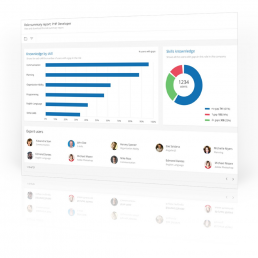
Perform - Brilliant new feature for Docebo 7.0
Perform - Brilliant new feature for Docebo 7.0
In its latest release, Docebo introduces the Perform module which brings talent management capability to the Docebo LMS.
What is Perform?
Perform is a new feature on the Docebo LMS that is designed to allow you to evaluate your employee’s competencies and detect skill gaps. Once the skill gaps are detected, you can then intervene, offering learning and development opportunities. This could be done through formal learning plans and courses, or more informal videos or documents.
Some of the exciting features Perform has, include:
- An off-the-shelf skills catalogue
- Ability to create, import, and edit your skills and roles in bulk
- Ability to assign skills to roles
- You can map courses, learning plans, and informal learning assets
- Rating Scale
- Skill evaluation status monitoring
- Skill evaluation calibration
- Skills gap analysis
- Skills, roles and gaps reporting
A particular feature we thought was great, was the ability to enrol a user with a specific skill gap to a course or learning plan that will support in filling the gaps in their knowledge.
GuyKat are a UK based Docebo partner who work with clients globally. We can support organisations with their implementation of the Docebo platform, including the perform module featured above.
How you can get access to it
It’s simple. Email david.brannon@guykat.com to set up a tailored webinar. David would love to give you a demonstration of the platform and its awesome new features, including Perform!

Good vs. Bad User Experience
Good vs. Bad User Experience
Our talented eLearning designer, Zoe Hall, explains what makes a negative user experience and offers tips on how she approaches building an effective user experience.
"A User Interface is like a joke. If you have to explain it, it’s not that good."
It's useful to understand the difference between the terms User Interface (UI) and User Experience (UX):
- UI – the product used to access the content – e.g. website, app, game, LMS etc.
- UX - the entire experience the user has whilst navigating the through UI product, and the associating feelings and behaviours.
The UI in eLearning can have a huge impact on the quality of the UX. It can be the difference between an engaged and a distracted learner. A lot of thought should be put into selecting the most appropriate UI format. This provides a strong foundation that will allow the eLearning to be easy to navigate. Anything counterintuitive in the UI is distracting.
What makes a bad eLearning UX?
- Overly complex content
Being faced with too much information will overwhelm the learner from the outset. Nobody wants to endure paragraphs of text. As best practice, making sure the content is succinct is crucial.
Our clients are subject matter experts. They know their stuff! They provide us with the meaningful content their learners need to grasp. My job is to convert detailed information into digestible eLearning that is quick to access and easy to understand.
- A repetitive, predictable layout
Learners may lose concentration if the flow of the course becomes too predictable. For example, placing the Next button in the same position throughout the course is consistent and considered good UI 99% of the time. However, for complex, technical or compliance training, the risk is that a less diligent learner becomes disengaged. An overly consistent UI can make it too easy to mindlessly skip content. In these cases, it can make sense to play around with the layout.
I use a variety of methods to engage the learner. For example, changing titles of the buttons to Click for more information to reveal hidden material. Regardless of the layout, button style, feedback methods and colour themes are all factors that should remain constant through the eLearning experience. I use client brand guidelines to ensure that the training looks professional and on brand.
- Ineffective instructional design
A client can provide the most detailed and expert information on a topic, but without a logical UX, the information is useless. The content must be formatted in a layout that makes sense to the user to transform the information into retained knowledge. For example, using a mobile phone has become such a common activity for us all, so it makes sense for eLearning to be accessible on numerous devices. eLearning modules that are responsive on desktop, tablet and mobile will likely reach more learners. GuyKat storyboard with clients to ensure that our designs meet the needs of your users.


- When the user asks "What do I do now?"
If users are left asking: "What do I do now?" when working through a course, then the eLearning has failed. A confused user = a lack of concentration.
The navigation must be simple to follow. If presented appropriately, the navigation should speak for itself and not have to be explained.
- Difficult to retain information
The learner can miss out on meeting the learning objectives. This may be due to them skipping their way through the course, or just skimming over the valuable and insightful text. This is one of the biggest challenges in eLearning, as it can be difficult to gauge whether the learner is truly engaged.
A great way to resolve this is using a great LMS. It's important to appreciate that the user experience begins even before the eLearning has been accessed. The LMS should have seamless navigation that should come intuitively to users. GuyKat are proud UK partners of Docebo. We love Docebo because the UX means learners get to the content effortlessly. With many other LMS solutions the user may start off in the wrong mindset because they've just had a horrible UX before they've even launched the beautiful content we have built. This is a shame. If your LMS has a bad UI your overall learning journey will still be a bad UX, so you need to dump it.
Zoe’s steps to creating an effective user experience
1. Produce a plan
I begin by writing a detailed script then I start designing. I create a storyboard and evaluate the best interactions for your content.
2. Construct the right interactivity for the learning objective
Some authoring tools provide plenty of interactive opportunities, whilst others come with limitations. If my authoring tool does not allow me to create a certain interaction, then Ill explore how else I could make it work, I don't limit myself.
3. Always carry out Quality Assurance
Its true that your eyes read what they want you to see. Sometimes a fresh pair of eyes can pick up things that are easily missed. I always ask for thorough feedback and the QA team at GuyKat are happy to help. The pickier, the better.
4. Draw inspiration from other sources
If I come across a well-designed website or if an advertisement catches my eye, I make a note of what I liked about it, what was attractive about it. I carry these ideas into my designing when I need some inspiration.
Summary
Its important to not become complacent when designing eLearning, so by putting myself in the eyes of the learner, I make sure the UX is consistent, interesting, interactive and engaging to meet the client's objectives.

Dan's experience of being a GuyKat Apprentice
We caught up with Dan, our Junior eLearning Designer, who started his journey with GuyKat as an apprentice.
 When did you join GuyKat?
I started at the beginning of February 2016 and my apprenticeship lasted for 13 months.
What responsibilities did you have as an apprentice? What were your day-to-day tasks?
When I first started, my responsibilities were all very heavily based on graphics and imagery. I would have to create graphics in the style of a client’s branding and match this to the look and feel of the eLearning that it would be a part of. I was also responsible for finding appropriate images from stock photo websites to download and, if required, edit them too. However, as I progressed through my apprenticeship, I became much more involved with the design and, eventually, the development of the eLearning that we make. Of course, as an apprentice I was given some of the less exciting jobs such as taking out the recycling and transcribing audio, but overall there weren’t many of those kinds of tasks. During a few days of filming, I was in charge of the clapperboard and keeping track of what take we were on.
What is your current job role?
I am currently the ‘Junior eLearning Designer’ at GuyKat. I am the most junior full-time member of the eLearning team.
How have your responsibilities changed?
My responsibilities now include designing and developing eLearning, graphic design, look and feel design, development of games within eLearning, and some instructional design. My work has massively developed since being an apprentice. When I first started, I had very little knowledge of page layout design or user experience/interface, which are features that I have since developed a real understanding for over time. I have also developed more technical skills such as my ability to use Adobe programmes. When I started, I only had some experience of using Adobe Photoshop, but I’ve since built my knowledge of using Captivate, After Effects and Illustrator and I am now even more confident in those than I am in Photoshop.
What were your motivations for choosing an apprenticeship?
I never really wanted to go to university, despite it being heavily encouraged in secondary school, and especially sixth form. The appeal of having zero amount of debt outweighed the possibility of a “good job”. Nor did I want to go straight into work, just because it would have been easy to find a job that related to nothing that I’m skilled in, and stay in it. So, this is why I chose to look for an apprenticeship. Being trained, earning money, gaining a qualification and the potential of a secured job seemed like the most logical and rewarding option. I feel that an apprenticeship gave me a head start against my peers that went to university, because experience is so important to employers. I see it as an extra year of experience.
What attracted you to GuyKat?
Honestly, I knew very little about the company when I applied. It was the position itself that I was interested in. Apprenticeships that aren’t just an employer looking for cheap labour are actually difficult to come by, so I applied for apprenticeships that had a design element in the description. I knew I wanted something creative. It wasn’t until the interview that I decided I wanted to work for GuyKat. I was given the impression that they wanted me as someone who could help the company whilst being taught from scratch.
What is your proudest achievement at GuyKat?
My proudest achievement was actually quite a recent one. I was given a piece of work from a client that had a very tight deadline of one week. The project involved designing and making an assessment from scratch (with questions provided). The assessment itself was fairly straightforward to create, yet making sure the scores were reported correctly was quite complicated. Different areas required separate scores and areas of strength and weakness to be shown. Through quite a bit of trial and error, I managed to create a complex scoring system that demonstrated the user’s strengths (i.e. the areas they scored highest in) and their weaknesses (the areas they scored lowest in). I also designed a certificate that pulled the user’s scores, strengths and weaknesses from the project. I had help with the coding side of this, as this was another complicated challenge. Even though the client had multiple rounds of changes, I still managed to complete the project before the deadline, and they were very happy with the finished product. All of this took a lot of thought and time from myself, and I learnt a lot through the process and felt a great sense of achievement from it.
What do you enjoy about working at GuyKat?
The culture at GuyKat is relaxed and extremely friendly, whilst still maintaining a very high level of productivity. Right from the start of my first day I felt welcomed and supported, and like a part of the team. Even though I was an apprentice, I wasn’t made to feel that I was providing any less value.
Would you recommend the apprenticeship route?
I would absolutely recommend the apprenticeship route to anyone who doesn’t think university is for them. It is a great way to gain experience of a real working environment whilst still receiving training and support from a college/training provider. By the end of an apprenticeship, you will have valuable experience and a qualification to continue onto something else. You might choose to continue to a higher-level apprenticeship, or you may even be offered a job at the place that you carried out your apprenticeship like I was.
Our favourite ‘new and improved’ features in Adobe Captivate 2017.
Our favourite 'new and improved' features in Adobe Captivate 2017.
Adobe Captivate is the development tool of choice for the in-house eLearning production team at GuyKat. Whilst at Learning DevCamp 2017 in Salt Lake City earlier this month, our team reviewed the new features in the latest release (Adobe Captivate 2017) with other industry experts.
Our eLearning Developer, Zoe Hall, shares her favourite features of the new update:
1) Retina screen software recording
Whilst you could record a Video Demo or Software Simulation using Captivate 9, the 2017 update has resolved the need to edit the AdobeCaptivate.ini file. We have have found this improvement really useful, especially for cutting down development time and simplifying our internal processes.
2) Multi-state buttons
The ability to use buttons with multiple states (e.g. Normal, Hover, Down) on Master Slides, Quiz Slides, Quiz Results Slides and Drag and Drop Slides is an excellent update that can streamline our workflow and improve the UX throughout our projects.
3) Typekit Integration
Adobe Typekit is now integrated with Adobe Captivate. This allows developers with a Creative Cloud account to use fonts from the Typekit library within Captivate projects. Not being limited to websafe fonts for HTML5 projects now allows for consistent design across all devices. This enables us to align with the brand guidelines of our varied clients that require eLearning for multiple devices.
4) Conditional ‘While’ loop within Advanced Actions
We love the new ‘Conditional Tab’ check box within Advanced Actions, but we’re even more excited by the possibilities of the ‘While’ loop to enhance quizzing, gaming and general UX!
The ‘While’ action can be used to shorten our workflow to create simple GIF style animations within Captivate, as well as more interactive games using variables to create timers, change states and assign points.
Having taken some time to explore the ‘While’ action at Learning DevCamp, this feature will allow our team to push the boundaries to create engaging and interactive eLearning.
5) Fluid Boxes
The release of Fluid Boxes has coincided well with the rising demand for fully responsive design in our daily digital experiences - including responsive eLearning.
Captivate 2017 Fluid Boxes are a development on the previous breakpoints used in Captivate 8 and 9. Objects within Fluid Boxes align and resize automatically on different devices, creating a course that isn’t just optimised for one screen. There are many powerful, hidden tools and options within Captivate 2017 to tailor the Fluid Boxes to each developer’s needs. This higher level of flexibility and control, along with the ability to preview multiple device resolutions within Captivate, is another way that the update has reduced the development time for a responsive project and has created a better experience for the learner, regardless of the device they are using.
We are already utilising some of these features in current client projects.
If you’re looking for Adobe Captivate experts who can create bespoke eLearning, then feel free to get in touch.
Take a look at what else we got up to at Learning DevCamp 2017.

A look back at Learning DevCamp 2017
A look back at Learning DevCamp 2017
Hannah, our Lead eLearning Developer, shares her highlights from the Learning DevCamp 2017 conference.
Held in Salt Lake City, Learning DevCamp (2017) is an eLearning conference dedicated to discussing instructional design theory and authoring tools for eLearning developers across the globe.
As the Lead eLearning Developer at GuyKat Solutions, I was lucky enough to experience the conference again this year, along with my fellow eLearning Developer (and friend) Zoe Hall. Just over a week ago we set off on the 15-hour journey from Birmingham (UK) to beautiful Utah, with high expectations of a great week.
The conference is set over four days. The focus is on eLearning professionals sharing and learning best practices. Whenever I attend DevCamp, it's always refreshing to find many L&D experts challenging the way online training has to be delivered. There shall be no more boring "click and read" training! This year, there were two innovative concepts that stood out. Firstly, Augmented Reality and the possibilities it can lend to supplement training design. Secondly, bite-size training - sometimes referred to as SHOTs - to provide precise and painless training.
Learning DevCamp also boasts some great industry speakers and I thoroughly enjoyed hearing from experts such as Kevin Siegel, Jennie Ruby, Joe Ganci, Nick Floro and the founder of DevCamp, Jason Bickle (to name only a few). A highlight from our week was discovering the new features and capabilities of Adobe Captivate 2017, the authoring tool that we use in-house. Whenever software upgrades become available, we pride ourselves on taking the plunge early on.
A personal highlight for me was reconnecting with some old friends and meeting some new ones. It was great to enjoy dinner (and a spontaneous hike up the Salt Lake Hills) with some energetic and creative people from the eLearning world. There is nothing quite like a sunset in Utah.
Overall, at GuyKat we always aim to make our eLearning engaging and exciting, so attending a conference like this enables us to stay ahead of industry trends and helps us to learn more about how to improve our eLearning modules for the future. I would highly recommend this conference for anyone who is involved in the L&D industry and has the desire to learn about online training. It really is a great way to gain expertise.
What is SCORM? In Layman's Terms...
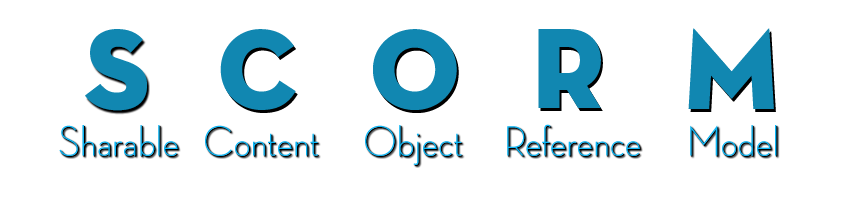
If you’re new to eLearning or Learning Management Systems you’ll often hear or see the word SCORM. It’s a piece of jargon we use that means nothing to people outside our industry. So, let’s explain SCORM in layman’s terms:
- SCORM is the most common standard format that eLearning modules are published in. It allows content to be uploaded to and tracked by a Learning Management System.
Why do we need a standard? Well, there are two main steps to delivering eLearning. First you make the content, then you put the content online. Typically, you make the content using a computer program called an ‘authoring tool’. There are many authoring tools on the market; Adobe Captivate, Articulate Storyline or Elucidat are examples. The next step is to put your content online. You do this using a Learning Management System (‘LMS’). Example LMSs are Totara, Moodle or Docebo. It is critical your content can ‘talk’ to your LMS so that you can track how your learners are doing. You want to capture data such as; Who has done which course? How long they looked at the course? What score did they get? Which specific questions did they get wrong? This is the magic of SCORM. The SCORM standard defines how this data is captured and communicated.
Having a standard allows learning and development teams to use their preferred choice of authoring tool and their preferred choice of LMS without compatibility issues.
SCORM is not a standard for the technology that the eLearning itself is built with. So, you can have eLearning built in Flash which is packaged into SCORM format or eLearning built in HTML 5 packaged into SCORM format or any other technology.
A SCORM file, typically looks exactly like a zip file. If an LMS asks you to upload a SCORM file you upload it in whole – don’t unzip it. This is very easy on Docebo.
Things are slightly complicated by there being more than one flavour of SCORM e.g. SCORM 2004 and SCORM v1.2. There are also other competing standards e.g. AICC or Tin Can/xAPI. These formats are less common. xAPI is gaining traction, however, it is still a bleeding edge technology that we would avoid for now. Whichever you use Docebo LMS is compatible with ALL these standards. We’ll do another article on the different types in future.
Whether you are looking to buy SCORM content, build-your-own SCORM content, or find an LMS to host SCORM content we can help you. eLearning is what we do. Please feel free to get in touch.